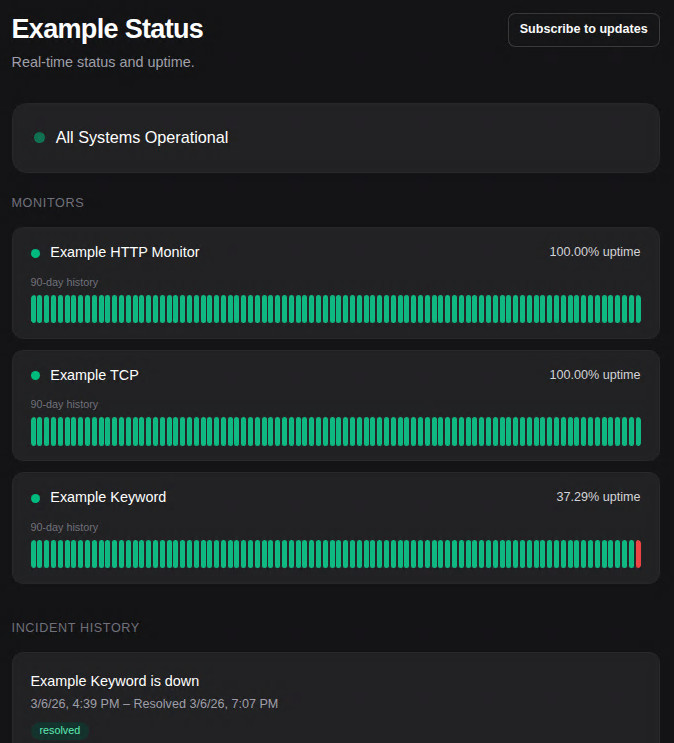
Status pages
ReturnPod gives you a public status page so your users can see the status of the services you monitor.
Primary status page (slug)
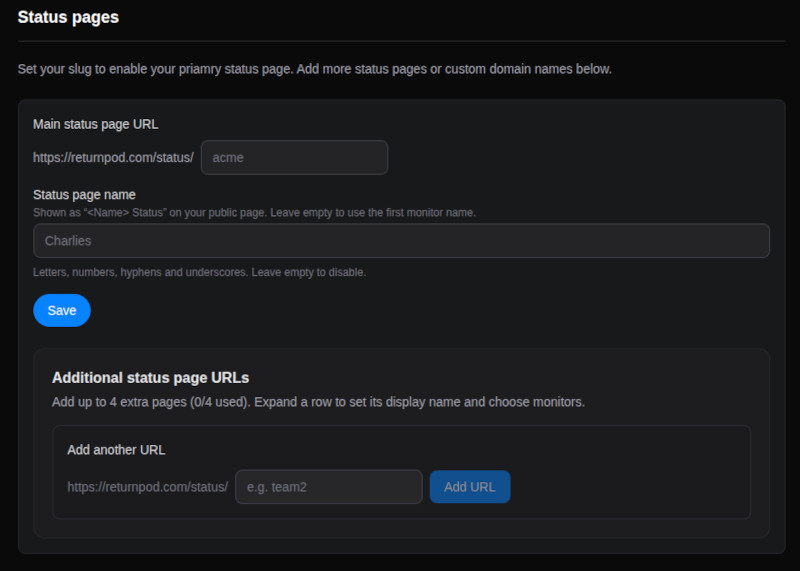
In Settings, set your Status page slug. Your main status page is then available at:
https://returnpod.com/status/your-slug
(Or your custom domain if you use one.) Only monitors you choose to "Show on status page" appear there.
Extra status pages (Pro)
Pro users can create additional status pages with their own slugs (e.g. /status/ops, /status/api). In Settings → Status pages you can add more pages and assign which monitors appear on each.
Custom domains (Pro)
Pro users can attach a custom domain to a status page so it is served under their own URL (e.g. status.yourcompany.com). Configure this in Settings → Custom domains.
Subscribing to updates
Visitors can subscribe to incident updates by email, RSS, or (on Pro) via a Slack command. The subscribe options are on the public status page.