Heartbeats
A heartbeat monitor does not check your URL from our side. Instead, you (or your system) call our endpoint on a schedule. If we don't receive a ping within the expected interval, we mark the monitor down and alert you.
How it works
- Create a monitor and choose type Heartbeat.
- We give you a unique ping URL (e.g.
POST https://returnpod.com/api/heartbeat/your-token). - You call that URL on your schedule (cron, GitHub Actions, etc.). Any successful POST is enough.
- We expect a ping at least once within the interval you set (e.g. every 5 minutes). If no ping arrives in that window, we mark the monitor down and send alerts.
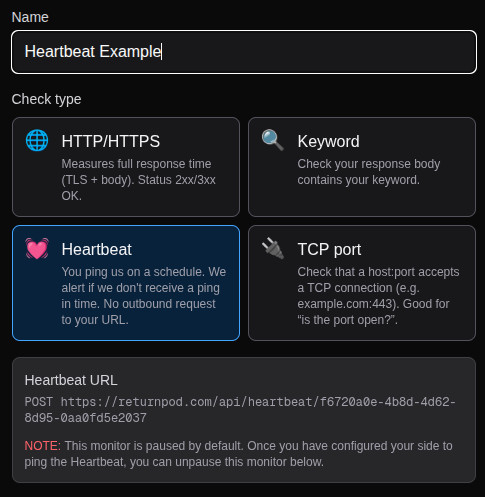
Paused by default
Heartbeat monitors start paused so you can configure your side first. Once your job or script is calling the ping URL, unpause the monitor from the edit screen.
No latency graph
Heartbeat checks don't measure response time; we only record that a ping was received. The monitor detail page will show "Heartbeat received" or "No heartbeat" and the last received time, but not a latency graph.